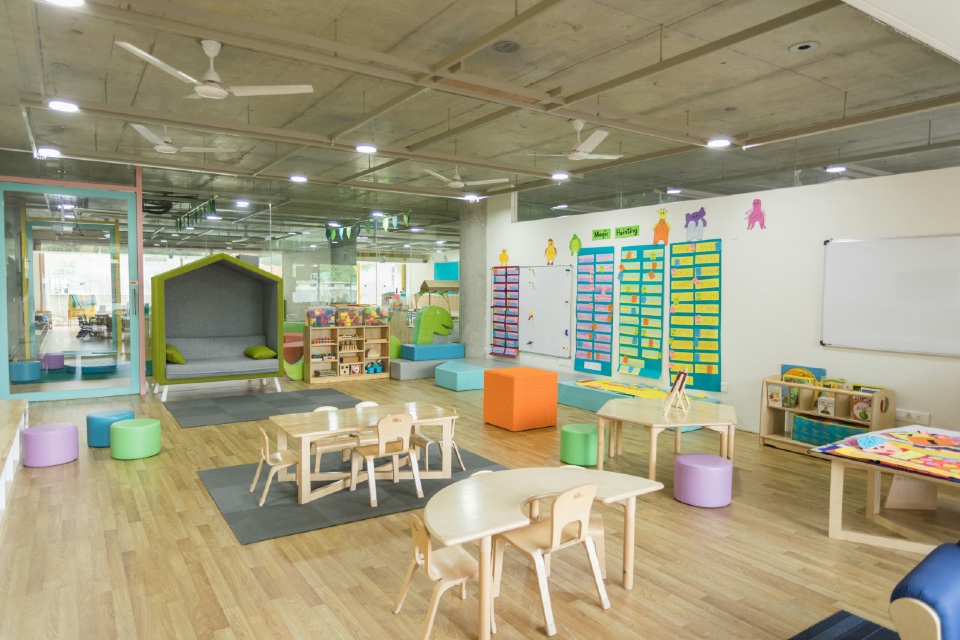




Whether supporting classroom collaboration, hybrid learning, presentations or specialist teaching environments, the right audiovisual (AV) equipment can improve engagement, accessibility and educational outcomes.
However, selecting the right technology involves more than comparing product specifications. School business managers, IT leaders and estates teams must balance educational needs with budgets, infrastructure, maintenance requirements and long-term value.
This buyer guide explains the key considerations when investing in classroom AV equipment, helping education leaders make informed procurement decisions for schools, colleges and universities.
Classroom AV Equipment at a Glance
| Best suited for | Schools, colleges, universities and multi-academy trusts |
| Primary purpose | Enhance teaching, collaboration and classroom communication |
| Key benefits | Improved engagement, accessibility, collaboration and lesson delivery |
| Typical buyers | School business managers, IT managers, estates teams, procurement leads |
| Common integrations | Learning platforms, wireless presentation systems, classroom management software and video conferencing solutions |
What is Classroom AV Equipment?
For the purposes of this guide, classroom AV equipment encompasses the technology used to present, share and manage audio and visual content within educational settings.
Modern school AV systems often combine interactive displays, audio equipment, wireless connectivity and central management software to create flexible learning environments that support both in-person and hybrid teaching.
Solutions can range from a single interactive display in a primary classroom through to fully integrated lecture theatres, science laboratories and collaborative learning spaces.
School AV Systems
Modern school AV systems combine displays, audio technologies and classroom management tools to create engaging learning environments that support both teachers and students.
When planning new installations, education providers should consider scalability, ease of use, long-term maintenance requirements and compatibility with existing classroom technologies.
Audio Visual Equipment for Schools
Audio visual equipment for schools includes far more than projectors and screens. Solutions now encompass wireless presentation systems, classroom audio, digital signage, lecture capture and collaborative learning technologies.
Selecting equipment that supports different teaching styles and learning environments helps maximise long-term value from technology investments.
Interactive Displays for Schools
Interactive displays for schools have become a central feature of many modern classrooms, enabling teachers and students to collaborate directly with digital content.
When comparing solutions, buyers should consider screen size, software compatibility, touch responsiveness, device connectivity and the availability of training and technical support for teaching staff.
Essential Components of School AV Systems
Most modern audio visual equipment for schools falls into several key categories.
Interactive Displays
Interactive displays for schools have largely replaced traditional whiteboards and projectors, allowing teachers and students to collaborate directly on screen while supporting multimedia content, annotation and remote learning.
Audio Systems
Clear audio is essential in classrooms of every size. Speaker systems, sound reinforcement and classroom amplification help ensure every student can hear lessons clearly, improving both engagement and accessibility.
Projectors and Large Format Displays
While interactive displays are increasingly popular, projectors and large-format displays remain suitable for lecture theatres, assembly halls and specialist teaching spaces.
Microphones
Wireless microphones support teachers in larger classrooms and are particularly valuable for assemblies, performances and hybrid learning environments.
Control Systems
Integrated control systems simplify the management of displays, lighting, audio and connected devices, making technology easier for teaching staff to use.
What Should Education Buyers Compare?
Selecting classroom technology involves balancing educational outcomes with operational practicality.
Educational Requirements
Different teaching spaces have different requirements. Consider whether solutions are intended for general classrooms, specialist teaching areas or large presentation spaces.
Ease of Use
Technology should support teaching rather than complicate it. Intuitive interfaces reduce training requirements and encourage greater adoption by staff.
Installation Requirements
Consider existing infrastructure, power availability, network connectivity and classroom layouts when planning deployments.
Maintenance and Support
Reliable maintenance services, software updates and responsive technical support help maximise equipment lifespan and minimise classroom disruption.
Integration
Look for systems that integrate with existing learning platforms, Microsoft 365, Google Workspace and video conferencing solutions.
Total Cost of Ownership
Procurement decisions should consider installation, maintenance, warranties, software licensing and future upgrades, not simply the initial purchase price.
Benefits of Modern Classroom AV Equipment
Investing in modern classroom technology can deliver benefits across teaching and learning.
These include:
- Increased student engagement
- Improved lesson collaboration
- Better accessibility for learners
- Enhanced hybrid learning capabilities
- Easier content sharing
- Greater flexibility for different teaching styles
- Improved classroom management
- Simplified technology administration
- Longer-term value through scalable systems
Well-designed AV environments also help future-proof educational facilities as digital learning continues to evolve.
Future Trends in Educational AV
Education technology continues to develop rapidly, with growing adoption of:
- AI-assisted classroom technologies
- Wireless content sharing
- Cloud-based device management
- Interactive collaboration platforms
- Digital signage
- Hybrid learning environments
- Energy-efficient AV systems
- Centralised remote monitoring and management
These technologies are helping schools create more connected, flexible and engaging learning environments.
Frequently Asked Questions
What is classroom AV equipment?
Classroom AV equipment includes displays, audio systems, microphones, projectors and control technologies used to support teaching and learning.
What are school AV systems?
School AV systems combine multiple technologies into integrated classroom solutions that support presentations, collaboration and digital learning.
Are interactive displays replacing projectors?
Many schools are choosing interactive flat-panel displays for standard classrooms, although projectors remain popular for larger teaching spaces and lecture theatres.
What should schools consider before purchasing AV equipment?
Key considerations include ease of use, installation requirements, maintenance, integration with existing systems, scalability and total cost of ownership.
Product Guide: Classroom AV Solutions
Choosing the right classroom AV solution involves more than selecting the latest technology. Education providers should consider how equipment will support teaching outcomes, integrate with existing IT infrastructure and provide long-term value throughout its lifecycle.
Working with experienced suppliers can help schools, colleges and universities identify the most appropriate technologies while ensuring successful installation, user training and ongoing technical support.
Supplier Directory
The following organisations provide classroom AV technology, education procurement services and specialist learning environment solutions. School business managers, IT leaders and estates professionals can also meet many of these organisations at the Education Forum, where buyers can discuss projects, compare solutions and explore new technologies through pre-arranged one-to-one meetings.
Albion Computers plc
Education technology specialist supplying IT equipment, classroom technology, AV solutions and managed services to schools, colleges and universities.
Website: www.albion.co.uk
Brookhouse – Interior Design & Refurbishment
Specialists in educational interior design, refurbishment and learning environment transformation, helping schools create modern teaching and collaboration spaces.
Website: https://www.brookhouse.com/
Procurement Services
Procurement consultancy supporting the education sector with compliant purchasing frameworks and specialist procurement expertise.
Website: www.csltd.org.uk
SMART Technologies
Global provider of interactive displays, collaborative learning software and education technology designed to support engaging classroom experiences.
Website: https://www.smarttech.com/
Meet Classroom Technology Suppliers
Whether you’re upgrading classroom technology, refurbishing teaching spaces or planning a wider digital transformation programme, speaking directly with experienced suppliers can help inform your procurement decisions.
The Education Forum connects school business managers, procurement professionals, IT leaders and estates teams with leading classroom technology providers through a programme of pre-arranged one-to-one meetings, networking opportunities and expert-led seminars. It’s an efficient way to compare classroom AV equipment, explore new education technologies and identify partners that can support your organisation’s teaching and learning objectives.
Photo by Alex Litvin on Unsplash